




Gaming
Games
8 ways to improve your defending in PES 2019
The best ways to protect your goal in Pro Evolution Soccer 2019.
If you're hoping to conquer PES 2019’s toughest difficulty levels and opponents, you’ll need to master the art of defending. It’s a suitably tough feature to get to grips with in Konami’s latest game, separating the best from the rest in online competition.
There are plenty of gameplay additions that have an effect on defending in PES 2019, including a new fatigue system and an array of improved animations. We’ve picked out some of the most important tips to follow when protecting your goal, helping you to dominate the competition and secure those clean sheets.
1. Keep your shape in defence

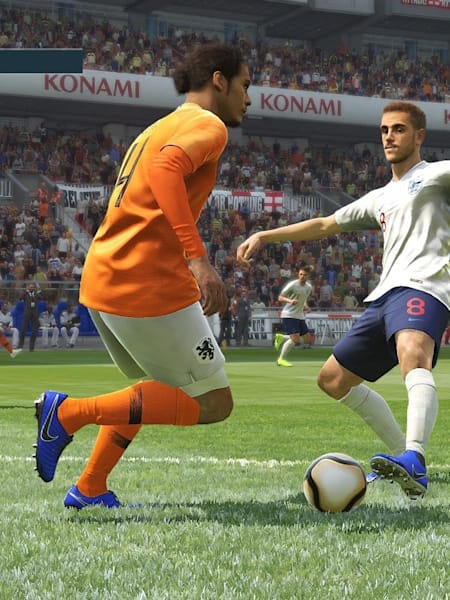
Force the opposition into making mistakes through patient defending
© Konami
The most important thing to do when defending is to remain patient when confronting opposition attackers. Pulling players out of position typically spells disaster, creating significant gaps in your back line that can easily be exploited.
Even when playing a pressing style, you’ll need to pick your moments to lunge forward. By sticking rigidly to your players’ default positioning, the opposition will find it harder to create space, improving your chances of regaining possession.
2. Modify player switching controls
The simple way of switching the player you’re controlling in PES 2019 is to either use the L1/LB button or push the right stick towards the player you want. But if you’re having trouble getting this to work efficiently, you can adjust how much assistance you’re given.
You can find these tools in the ‘personal data settings’ section of the controls main menu. Here, you’re given the option to change how often the CPU switches players for you, and you can also tinker with a whole set of extra assistance controls.
3. Finish the training exercises

Skills training ranges from basic to expert techniques
© Konami
If you're new to Pro Evolution Soccer, focus your time on the pre-built training exercises. You’ll find them via the skills training menu on the kick off screen, offering a selection of defensive techniques to master, separated into four different difficulty levels.
If you can complete all of these challenges to a high standard, you’ll also acquire a generous selection of myClub points, helping you to sign new players in the popular online-focused squad building mode.
4. Use the slide tackle sparingly
Using the slide tackle button can work wonders when making desperate, last ditch tackles, but for the most part, it’s worth staying on your feet. You can double-tap the pass button to lunge into a small tackle, presenting less risk if you mistime it.
Just occasionally, it's worth prioritising the slide tackle when trying to surprise your opponent. Playing a conservative style can grow predictable, and launching into a slide can shock your opponent into losing possession. It’s risky though, so save it for rare occasions.
5. Customise defensive instructions

Hold the d-pad towards your goal to quickly reduce your defensive line
© Konami
There are plenty of ways to customise how your defence operates in-game. Strategies can be selected from the defensive instructions screen of the tactics menu, allowing you to edit aspects such as your defensive style and the height of your back line.
You can also add to this by implementing advanced instructions, which can be found slightly lower down the menu. These are special requirements, such as swarming the box to form a defensive wall, or tightly marking dangerous players on the other team.
6. Set up efficiently for set pieces
The typical way to approach defensive set pieces is to mark potential threats with strong defenders. Your team's attack/defence level and set piece strategies also have an effect on how your defence lines up in these scenarios, and both can be activated via the d-pad.
If you’re finding it tough to identify where the ball might be delivered, try selecting a player slightly away from the danger zone. That way, the cursor should switch to the most appropriate player as the ball comes in (when using assisted controls), allowing you to clear the ball.
7. Take advantage of quick substitutions

Press the left touch pad on PS4/view button on XB1 to activate quick subs
© Konami
You can make use of quick substitutions for the first time in PES 2019, allowing you to switch out players on the fly. The feature, coupled with the new fatigue system, can have a big effect on the outcome of a game.
If your defenders are low on stamina, there’s every chance they’ll buckle when attempting to track speedy attackers. Be sure to swap them out if they’re lacking energy, as it might just have a game-changing effect on the eventual scoreline.
8. Put additional pressure on attackers
You can apply additional defensive pressure by holding the Square/X button, forcing one of your teammates to move towards the ball. The same applies to double-tapping the button before holding it, which sends more players pressing forward.
However, this should be used sparingly to avoid creating gaps in your defence. This pressure command is best used when cutting off passing lanes, forcing the opposition to pass to you or simply lose possession. It takes time to get right, but can prove a big asset when you use it effectively.
