






Gaming

Gaming
Getting too much ping playing VALORANT? Here's how you can reduce it
Less ping means a better connection, which in turn increases your chances of VALORANT victory. Find out the latest ping-reduction techniques for 2026.
Milliseconds matter in the fast-paced world of VALORANT. Achieving low ping is necessary for an optimal gaming experience, where every shot, move and strategy depends on connection speed. High ping can lead to frustrating gaming latency, delaying actions and reducing the smoothness of gameplay. Thankfully, there are practical steps to reduce ping and enhance the VALORANT experience for you.
Whether it's getting to the next level at Red Bull Home Ground or vying for kills at the open tournaments of the VALORANT Champions Tour, minimising ping is essential for victory. Read ahead for a completely updated 2026 guide on how to reduce it.
01
Understanding ping and its impact

LAN cables > Wi-Fi
© Vitaliy Ivanov/Red Bull Content Pool
The ping is measured in milliseconds (ms) and describes the time span (round-trip time) that a data packet from your PC or console needs to the Riot Games game server and back again. Since all VALORANT servers operate at a high tick rate of 128 Hz, the server itself is almost never the bottleneck. Your own connection, though.
The lower your ping, the more directly your movements and hits will be registered on the server. At the same time, you’ll reduce your opponents’ infamous 'peeker’s advantage,' where attacking players will see you around a corner before they even appear on your monitor.
In the realm of esports, low ping is one of those details that can significantly impact performance. Whether it's casual players or professionals, low ping helps gamers achieve their best performance. Latency, caused by high ping, can result in delayed actions, missed shots and a generally frustrating experience.
What does your ping actually mean in VALORANT?
- Under 20ms: Excellent. Almost delay-free hit registration, perfect conditions for competitive gameplay at the top level.
- 20 to 40ms: Very good. The standard for most ambitious players, where duels feel fair and direct.
- 40 to 70ms: Playable. A minimal delay is noticeable in extremely fast melee duels or when holding very narrow angles.
- Over 70ms: Critical. Noticeable delays in abilities and gunfire, which means you're systematically at a disadvantage in direct firefights.
02
Tips to reduce ping
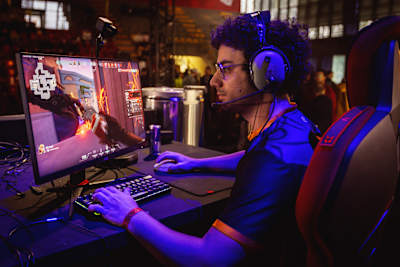
Lower ping equals a faster, smoother and better VALORANT experience
© Mauro Puccini/Red Bull Content Pool
Check your internet connection
A stable and speedy internet connection is the backbone of low ping. Here are some tips to ensure the connection is up to the task:
- Use LAN cable instead of Wi-Fi : Grab an Ethernet cable (at least Cat 6) whenever possible. Even modern standards such as Wi-Fi 6E or Wi-Fi 7 are prone to fluctuations caused by walls or interference signals from other devices. If you are absolutely dependent on Wi-Fi, switch from the crowded 2.4 GHz band to the faster 5GHz or 6GHz frequency band.
- Check the router location and device list: Place your router freely in the room and not behind furniture or metal objects. Also, check how many smartphones, smart TVs and tablets radio on the home network at the same time, as each active device can strain the response time in your gaming session.
- Ensure sufficient bandwidth: VALORANT itself consumes surprisingly little data volume during a match. Nevertheless, a stable line with at least 25Mbps in the download and 5Mbps in the upload is recommended, so that your connection does not break in immediately as soon as another person in the household surfs the net.
Optimise your network settings
If you can control your traffic on the home network, you can prevent sudden ping spikes in the middle of the crucial round.
- Reduce network overload: Avoid using bandwidth-intensive applications like streaming services or large downloads to maintain network stability during the online game. For streaming services, you should check if you can increase the range of the router to avoid high ping values.
- Enable QoS and Smart Queue Management: Modern routers offer the option of preferentially treating gaming data packets under the heading of 'Quality of Service' (QoS) or 'Priorisation'. Assign the highest priority (real-time application) to your PC or your PS5 and Xbox Series X|S in the router menu to prevent so-called “buffer bloat”, i.e. backlogs in the data line.
- Selecting the best server region: VALORANT allows players to select their preferred server region. Select the server closest to the venue to minimise the ping tips and improve response time. To select another server in VALORANT, go to the Play tab and open the lobby screen. In each game mode, except Custom Game, a green latency icon is displayed above the player card. Move your mouse over the icon until a server selection screen appears. Players can select as many preferred servers as they want.
Minimise background applications

Making sure you're on the nearest VALORANT server will help speeds
© Jan Cadosch/Red Bull Content Pool
Unnecessary applications and processes can consume valuable system resources and bandwidth. Here's how to use software to manage bandwidth allocation on the network, so VALORANT gets maximum bandwidth and priority over other applications.
- Close unnecessary apps: Shut all open browser tabs with streams, other game launchers (Steam, Epic Games, Battle.net), music clients or file-sharing tools before launching VALORANT.
- Adjust process priority in Task Manager: Use tools like Task Manager for Windows to monitor and manage background processes. To make Valorant a priority in Task Manager, press Ctrl+Shift+Esc, click on the 'Details' tab, find Valorant.exe and right-click it. Then select 'Set Priority', choose 'High', click 'Change priority' and the setting will be updated.
- Turn off Windows submission optimisation: Windows often downloads updates in the background in the peer-to-peer procedure and uses your PC as an upload source for other users. Open the Windows settings under Windows Update -> Advanced Options -> Submission Optimisation and turn off the option “Allow downloads from other PCs” completely.
VALORANT slang, tips and tricks you need to know
03
New tips and in-game settings for 2026
In addition to the classic hardware and router tricks, both VALORANT itself and Windows offer deeper adjustment screws that many players overlook. If you adjust the following settings, you will get even more performance:
- Customise in-game network buffering: In the general settings of VALORANT, you'll find the 'network buffering' option. With a stable cable line, you should set this value to minimum in order to get the lowest possible input delay. If, on the other hand, you suffer from slight packet loss or unstable Wi-Fi, the mediation setting noticeably smooths the game.
- Limit FPS in menus: If your graphics card is already running in the lobby under full load with several hundred FPS, this generates unnecessary heat and competes with background network processes. Set a fixed FPS limit for menus (about 60 or 120 FPS) in the graphics settings to keep your system cool and responsive before the match.
- Enter faster DNS servers: The standard DNS servers of the internet providers often work sluggishly. In your system’s adapter settings, switch to fast public DNS servers such as Cloudflare (1.1.1.1 and 1.0.0.1) or Google (8.8.8.8 and 8.8.4.4). Although this doesn't always lower pure in-game ping, it accelerates the connection to the Riot servers.
- Clear DNS cache and reset network stack: If faulty routing data has built up, a quick reset can help. Open the Windows Command Prompt (CMD) as an administrator and run the following commands one at a time, then restart the PC.
- Disable power-saving mode on the network card: Windows tries by default to save power on network adapters, which can lead to micro-lapses. Open the Device Manager, right-click on your network adapter under Properties, and in the Energy Management tab, select the checkbox for “Computer can turn off the device to save energy.”
04
Troubleshooting common ping issues

As you up your game and play as part of team, ping becomes more important
© Andrew Karam/Red Bull Content Pool
Even with the best preparations, you might still encounter ping issues. Here’s how to troubleshoot common problems.
- Use the in‑game network graphs for diagnostics: In the game settings, go to Settings → Video → Values and enable the displays for Network RTT and Packet Loss (both text and graph). A shallow, low line indicates a healthy connection. A flat but consistently high line usually points to poor routing from your internet provider or the game connecting you to the wrong server pod. Sharp zigzag spikes — often accompanied by packet loss — are almost always caused by Wi‑Fi interference or an overloaded home network.
- Internet Service Provider (ISP) issues: If there's consistent high ping, contact the ISP to check for any issues on their end. Sometimes, upgrading to a higher-tier plan can also help.
- Server problems: Occasionally, VALORANT servers themselves might be the cause of high ping. Check online forums and VALORANT's social media channels for any announcements regarding server issues.
- Network diagnostic tools: Use network diagnostic tools like Proxy Ping or Traceroute to identify where the latency is occurring. These tools can help pinpoint whether the issue is with your ISP, your local network or the game server.
05
Mastering ping: tips for smoother VALORANT gameplay
Achieving optimal ping for VALORANT requires a combination of several important factors, including a stable internet connection, an optimised network and proper system management. Following these tips can help decrease lag, improve game performance and enjoy smoother gameplay. Optimise the setup, stay vigilant and you'll be on your way to a better gaming experience.
About the author
